
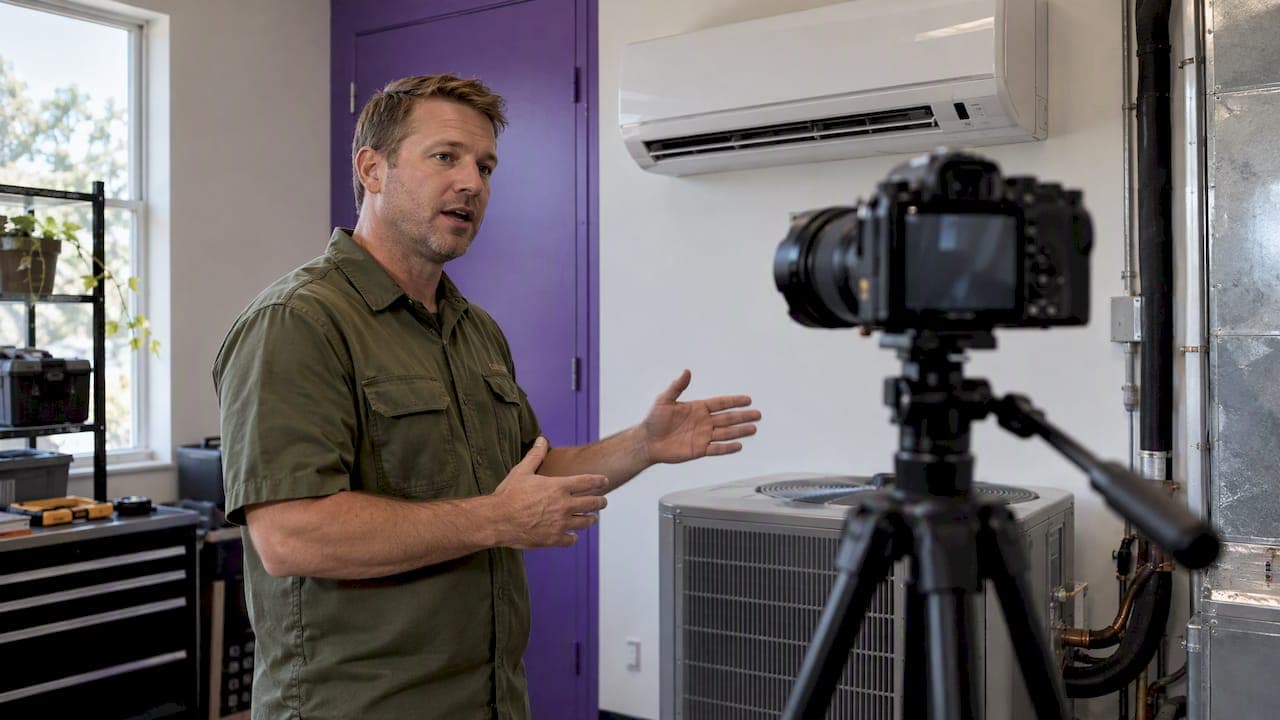
Business video production is the work of planning, filming, editing, and publishing video that serves a commercial goal, such as winning leads, building trust, training staff, or helping customers understand what you do. For a service company, the useful version is simple: pick one audience and one problem, record a clear answer, edit it cleanly, and put it where buyers will see it. You do not need a studio or a national-TV budget to do that well. You need a repeatable process.
This guide covers the formats worth making, the stages of a production, a post-production workflow, what video costs in the United States, and how to tell whether any of it is working.
Key Takeaways
- Start with the bottleneck in your business, not with a trending format. Pick the video type that moves a specific viewer toward a specific action.
- Every production runs through the same stages: plan, film, edit, publish, measure, improve. Skipping the planning stage is where most budget is wasted.
- Costs range widely. Wistia's 2026 report found that nearly 40% of companies spent under $5,000 producing videos in 2025, so a small business can start modestly.
- A repeatable system beats a one-off hero video. Batch your filming, keep your files organized, and publish on a steady schedule.
- Measure more than views. Track watch time, leads, and booked jobs, and use what you learn to shape the next video.
Table of Contents
- What business video production actually involves
- Which video format fits your goal
- The production process, step by step
- A professional video editing workflow
- What business video costs in the United States
- Making video work with limited time and staff
- Distribution and measurement
- Our perspective on video as a business system
- Where Zenscape fits
- A simple 30-day plan to start
- FAQ
- Sources
What business video production actually involves
The term covers any video made to support a business purpose: marketing, training, internal communication, or customer education. Kaltura describes formats that include promotional and explainer videos, tutorials and training, testimonials, how-to videos, livestreams, event coverage, product demonstrations, and ads.
For a contractor, consultant, or professional service firm, that list narrows quickly. Most of your buyers are asking three questions before they call: Can you solve my problem? Can I trust you? What happens if I hire you? Your videos should answer those, in that order of priority.
The production itself has three phases:
- Pre-production: deciding the goal, audience, script, location, and equipment.
- Production: filming interviews, demonstrations, and supporting footage (B-roll).
- Post-production: editing, audio and color, graphics, review, and export.
Everything after that, publishing and measurement, is part of the job too. A video that sits on a hard drive has a cost and no return.
Which video format fits your goal
Video can support awareness, lead generation, sales, education, onboarding, support, recruitment, and trust. Polimake's guidance suggests identifying your audience and your bottleneck first, then matching the format to the action you want. Its mapping is a useful rule of thumb: educational content for reach and understanding, explainers and demos for consideration, testimonials and case studies for conversion.
Here is how that looks for a service business:
| Your bottleneck | Format to try | What the video should do |
|---|---|---|
| Few people know you exist | Short educational clips answering common local questions | Earn attention and show expertise |
| Leads arrive but do not understand your offer | Explainer or process walkthrough | Remove confusion about scope and steps |
| Leads compare you with others and stall | Customer testimonial or project story | Build trust and lower perceived risk |
| Quotes go out but jobs are not booked | Short demo or what-to-expect video sent with the quote | Answer objections before the follow-up call |
| Hiring is slow | Day-in-the-life or team video | Show culture and expectations |
TechTarget notes that testimonials work because authentic customer stories address pain points and add a human layer that ordinary reviews lack. That matters most for services, where buyers cannot inspect the product before they buy.
If your clients are other businesses, a testimonial also helps a prospect justify the decision internally. Pair the video with good prospect research, for example by learning how to find decision makers for B2B sales so the right person actually sees it.
One caution: format advice should not become a reason to make everything. Pick one format, make five good examples, and learn from them before you add another.
The production process, step by step
The stages below follow the sequence Kaltura lays out: define the objective and audience, plan the concept and logistics, film, edit, publish, measure, and iterate. Here is the practical version for an owner-operated company.
1. Define the viewer, the problem, and the next action
Five Channels' checklist for service businesses asks you to settle the target viewer, the problem the video solves, and the immediate action you want the viewer to take, plus the KPIs you will check afterward. Write these three answers in one sentence each before touching a camera.
Example for a roofing company: the viewer is a homeowner with a leak after a storm; the problem is not knowing whether to repair or replace; the action is to book an inspection. That sentence already tells you the video's topic, length, and call to action.
2. Collect the questions and objections
The same checklist recommends listing audience pain points and objections. Your best source is your own sales process: the questions customers ask on the phone, the reasons they hesitate, the misconceptions you correct on every estimate. Each one is a video topic with proven demand.
3. Script or outline it
You do not need a word-for-word script for every video, but you need a structure: a hook that names the problem, a clear answer, one proof point, and one next step. Kaltura's pre-production list includes the script or outline and a storyboard. For a talking-head video, a bulleted outline is often enough. For anything with demonstrations, sketch the shots.
4. Plan location, equipment, and talent
Test your location and equipment before the day you film. Poor audio and a noisy room cost more in editing time than any camera upgrade would save. A recent smartphone on a stable mount, a clip-on microphone, and decent daylight are enough to begin, a point the Five Channels checklist makes for small teams.
5. Film in batches
Film several videos in one session. Interviews, demonstrations, and B-roll of real work are all useful, and shooting them together saves setup time. Keep clips short and capture a few extra seconds before and after each take so the editor has room.
6. Edit, review, and publish
Editing is covered in the next section. Publishing means more than uploading: you need the right aspect ratio, captions, a clear title and thumbnail, and a call to action on every platform.
7. Measure and improve
Check results against the KPIs from step one, then change the next video based on what you see. Search Engine Land frames video as a repeatable content system of research, script, produce, distribute, measure, and refine, rather than an isolated creative asset. That framing is what turns a single video into a compounding one.
A professional video editing workflow
Whether you edit in-house or hire an editor, the workflow should look the same. Good editing starts before the first cut.
Organize and back up first
Evercast's post-production checklist starts with verified media ingest and backups, preservation of camera originals, and documented folder and naming conventions. Georgia Tech's postproduction guide suggests organizing assets before import into folders such as Footage, Audio, Graphics, Sequences, Exports, and Other.
A simple convention saves hours later. For example: date, job or topic, camera, take number. Whoever picks up the project next, including you in six months, should be able to find any clip in seconds.
Sort, select, and assemble
The Evercast checklist recommends sorting footage by day, camera, and scene, marking the best takes, and building selects bins. It also says to sync double-system audio, meaning audio recorded separately from video, and to generate proxies when full-resolution media is hard to edit on your computer. Then assemble a rough cut: the story in order, without polish.
Refine and lock the picture
Vimeo's workflow guide walks through refining the rough cut with stakeholder feedback until picture lock. Treat that as a real control point. Once the cut is approved, graphics, color, and audio are built to match it, and Vimeo warns that late changes can force expensive re-tracking and re-timing. Limit review rounds and name one person who gives final approval.
The editing software itself is non-destructive. Apple's Final Cut Pro documentation explains that edits change project information, not the original media, so your source footage stays untouched. Other major editors work on similar principles, so you can experiment freely.
Finish, export, and archive
After the cut is locked comes motion graphics, color, and audio. Then you export a high-quality master and create platform-specific versions. Avid notes that MP4 and MOV are broadly compatible formats and that resolution and other specifications depend on where the video will play. Archive the project files and masters when you finish. You will want to reuse the footage.
What business video costs in the United States
There is no single price, and any number quoted without context should make you cautious. Cost depends on length, crew size, locations, talent, editing complexity, licensing, and how many versions you need. Kaltura's budgeting list covers production, post-production, licensing, and contingency, which is a good checklist when you request quotes.
Some real reference points:
- Company spending: Wistia's 2026 report, based on more than 900 professionals, found that nearly 40% of companies spent under $5,000 producing videos in 2025, while just over 30% spent more than $5,000. It also found that 41% spent under $20,000 on promotion.
- Paid distribution: The U.S. Small Business Administration gives examples of modest social-media ad budgets, perhaps $20 per day or around $600 per month. It says local-TV production may cost several thousand dollars, and broadcast time may cost $5,000 to $20,000 to reach one to four million viewers, depending on audience size and time of day.
The SBA's takeaway is worth keeping: small businesses can control advertising risk by choosing channels with modest budgets and matching spending to the action they want. Video does not have to mean national-TV economics.
A sensible approach is to spend on the parts that affect trust and clarity, namely sound, script, and editing, and to save on everything else. Footage you film yourself, edited well, usually beats expensive footage with no plan.
Making video work with limited time and staff
Most owners are not short of ideas. They are short of hours. Wistia's research notes that teams are being asked to produce more videos for more platforms and audiences, while budgets are not keeping pace, and that they are expected to get more mileage from existing videos.
Three habits help:
- Film once, publish many times. One 10-minute conversation about a common customer question can become a long YouTube video, three short clips, a section on a service page, and a few paragraphs for an email or article. Search Engine Land's guide recommends repurposing video into text marketing for exactly this reason.
- Build a question bank. Keep a running list of customer questions. When you film, work through five at a time.
- Set a fixed cadence. A realistic schedule you keep is better than an ambitious one you abandon. Monthly filming with weekly publishing works for many owner-led companies.
Our own articles on scaling with content systems and building organic authority in your niche go deeper on how to keep this rhythm going without burning out.
Distribution and measurement
A finished video needs a home on every channel where your buyers look. Search Engine Land recommends distributing versions through your website, service and landing pages, YouTube, social platforms, email, and paid campaigns, with the aspect ratio, captions, titles, thumbnails, and calls to action suited to each.
For service companies, the highest-value placements are often the least glamorous: the page where someone decides to request a quote, and the follow-up email after an inquiry. A short explainer on that page can answer the question that would otherwise stall the lead.
Metrics that matter
The same guide suggests measuring against the goal-specific funnel: views and reach, watch time and retention, engagement, click-through rate, leads, conversions, revenue, and cost per acquisition. The HubSpot and PlayPlay Video Marketing Playbook adds that experienced marketers use multiple metrics rather than a single one to judge a video, then use those KPIs to improve future strategy.
To see what viewers do inside a video, engagement graphs help. HubSpot's Wistia walkthrough explains that drop-offs indicate waning attention, while spikes show sections viewers found compelling enough to replay. Heatmaps show watched, skipped, and replayed portions. Use that to tighten the first ten seconds of your next script.
To connect video to revenue, tag your links. HubSpot's guide to Facebook video ads says UTM-coded URLs can track traffic and conversions from video ads, and conversion pixels can capture later conversions after a viewer leaves and returns. Then make sure those leads land in a system where you can follow them to a booked job. Our guide to CRM lead tracking from first contact to booked job shows how.
Be honest about what the data can and cannot tell you. Many service sales involve a phone call or a referral, so video's influence is often undercounted. Ask new customers how they found you, and note whether they watched anything.

Our perspective on video as a business system
We see the same pattern with service businesses: the video itself is rarely the problem. The problem is that the video is disconnected from everything around it. It is filmed without a clear goal, published once, and sent to a website that does not convert or a lead process that does not follow up.
We think of video as one part of a connected growth system. The script comes from real customer questions. The footage is edited into several short pieces. Those pieces point to a website built to turn attention into inquiries. Inquiries go into a CRM, where every lead gets followed up. Retention and referrals feed the next round of stories. When those pieces connect, the effort compounds. When they do not, even excellent video leaks value.
That is also why we caution against premature scaling. Ten videos a week do not fix an unclear offer or a missed follow-up. Start with one audience, one problem, and one measurable action, then expand once the first loop works.
— Zenscape
Where Zenscape fits
If you want to build this system without assembling it from separate vendors, Zenscape Foundations is $500 per month. It includes DIY business systems, a CRM, website and automation tools, and group support, along with four strategically scripted and edited short-form videos each month made from footage you provide. You do the filming and the setup work; we help with strategy, scripting, and editing.

If you would rather hand over more of the implementation, CEO Launch starts at $1,500 per month at the founding rate. It includes managed implementation, a website build or redesign, SEO and GEO content, video production, and private strategy support. You can compare both on our solutions page.
A simple 30-day plan to start
- Week 1: Write down your top ten customer questions and objections. Choose one viewer, one problem, and one action.
- Week 2: Outline five videos from that list. Test your location, light, and microphone. Set up a folder structure and naming convention.
- Week 3: Film all five in one session. Back up the footage the same day.
- Week 4: Edit, get one round of feedback, lock the cut, and publish with captions and a call to action. Add UTM links and note the baseline numbers.
At the end of the month, review watch time, inquiries, and what new customers say. Keep what worked and change one variable at a time.
FAQ
How much should a small business spend on video production?
There is no fixed number. In Wistia's 2026 report, nearly 40% of companies spent under $5,000 producing videos in 2025. Start with a budget you can sustain, put the money into audio, scripting, and editing, and increase spending only when you can connect videos to leads or booked work.
What types of videos work best for service businesses?
Educational clips that answer common questions build awareness, explainers help buyers who are comparing options, and testimonials help close the decision. Choose based on where prospects stall in your sales process, not on what is trending.
Can I shoot business videos with a smartphone?
Yes. A smartphone is enough to start if you plan the viewer, problem, and call to action, write an outline, and test your location and audio first. Good sound and clear structure matter more than the camera.
What does a professional video editing workflow include?
It starts with organizing and backing up footage, then selecting takes, assembling a rough cut, and refining it through review until picture lock. After that come graphics, color, and audio, followed by export of a master file, platform versions, and an archive of project files.
How do I know if my videos are working?
Track the metrics tied to your goal: watch time, click-through rate, inquiries, and booked jobs. Tag your links with UTM parameters and ask new customers what they watched. Compare results across videos and adjust the next one.
Sources
- Corporate Video Production: Process, Examples & How AI Can Help (Kaltura)
- 9 types of video marketing for businesses (TechTarget)
- Video uses: formats and selection criteria (Polimake)
- Social Media Video Checklist (Five Channels)
- Video marketing: The definitive guide (Search Engine Land)
- A step-by-step post-production checklist (Evercast)
- Video Postproduction Guide (Georgia Tech)
- Post-Production Workflow (Vimeo)
- Final Cut Pro User Guide (Apple)
- Post-Production Video Editing (Avid)
- 7 Types of Advertising That Don't Cost an Arm and a Leg (SBA)
- State of Video in 2026 (Wistia, via HubSpot)
- The Video Marketing Playbook (HubSpot and PlayPlay)
- How to Use Wistia (HubSpot)
- How to Create Facebook Video Ads (HubSpot)